Short answer: If your phone supports eSIM and is carrier-unlocked, buy a 7-day Korea eSIM before you fly. It is the simplest option for solo travelers and couples. Choose a physical USIM if you need a Korean phone number or your phone can't take an eSIM. Choose pocket wifi if three or more people are sharing data or you're connecting laptops and tablets without their own SIM.
Korean connectivity prices and promotions change without notice. This guide does not list specific prices, so check the current price, data allowance and terms on the seller's page the day you buy.
Quick answer: which option for most readers
| Your situation | Best option | Why |
|---|---|---|
| Solo or couple, eSIM-compatible unlocked phone | eSIM (buy before departure) | No airport queue, no SIM swap, home number stays active for SMS |
| You need a Korean number for local apps | Physical USIM or a plan that includes a local number | Some Korean services only verify Korean numbers |
| Phone is locked or doesn't support eSIM | Physical USIM (if unlocked) or pocket wifi (if locked) | A locked phone may reject any foreign SIM. Pocket wifi works over wifi |
| 3+ people, or laptops/tablets/cameras | Pocket wifi | One device shared by everyone |
Ready to buy an eSIM? Compare 7-day Korea plans here:
If you'd rather pick up a USIM or pocket wifi at Incheon, you can pre-book airport pickup here:
Decision tree: three questions before you buy
1. Is your phone eSIM-compatible and carrier-unlocked?
- Yes to both: eSIM is your default. Continue to question 2.
- eSIM no, but unlocked: Choose a physical USIM, or pocket wifi if you're in a group.
- Locked: A Korean SIM or eSIM may not work. Use pocket wifi, or ask your carrier to unlock the phone before you travel.
2. How many people need data at the same time?
- One or two people, each with their own phone: eSIM or USIM. Each person gets their own connection and nobody has to stay close to a shared device.
- Three or more people, or devices without a SIM slot (tablet, laptop, camera): pocket wifi can work out cheaper per person. Compare the total cost against individual plans. The trade-off is that the group has to stay near the device.
3. Do you need a Korean phone number?
Some Korean apps and services may ask for a Korean number for features such as delivery orders, banking or ride-hailing (see below). If you need one, a physical Korean USIM or a plan that includes a local number is the safer choice. Most data-only eSIMs do not include a Korean number.
Branch summaries
- eSIM: fastest setup with no physical swap. Your home SIM can stay active for calls and texts.
- USIM: can include a Korean number. You must swap SIMs, keep your home SIM safe, and pick up the card at a counter or by delivery.
- Pocket wifi: shareable across a group. You must charge it, carry it and return it on time.
What to compare before you buy
Plan names, prices and terms change often, so none are listed here. For each option, check the seller's own page for the items below. Compare the full trip cost, including delivery fees, deposits and taxes, not only the headline rate. For pocket wifi, divide the total by the number of people sharing it.
| Option | Check on the seller's page |
|---|---|
| Korea eSIM (from an online marketplace or, where offered, a Korean carrier) | Data allowance for 7 days and any daily cap or speed reduction; validity and when the clock starts; whether a Korean number is included; whether hotspot is allowed; refund policy; total price including tax |
| USIM at Incheon airport | Carrier counter location and opening hours for your terminal; data and validity; whether voice/SMS is included; hotspot rules; passport and any other ID needed; total price |
| USIM elsewhere (store, convenience store, hotel delivery) | Same as above, plus any delivery fee |
| Pocket wifi (airport pickup or delivery) | Daily rate and how days are counted; data cap; maximum devices; battery life; deposit; delivery and return fees or method; late-return fees |
If you convert prices to your home currency, use a current mid-market rate. Your card may charge a different rate plus foreign transaction fees.
Phone compatibility check before you buy
Does your phone support eSIM?
- Dial *#06# on your phone.
- If an EID number appears (a long string labeled EID), your phone very likely supports eSIM.
- Confirm with your manufacturer's current official eSIM list, because some regional versions of the same model differ. Check the support pages from Apple, Samsung and Google for your exact model.
Some phones sold in certain regions (for example, some models sold in mainland China) may not support eSIM even when the same model does elsewhere, so check your exact model. Some recent iPhone models have no physical SIM tray and are eSIM-only in certain countries, including the US. Check Apple's support page for your exact model. If your phone is eSIM-only, a physical USIM is not an option and you will need an eSIM or pocket wifi.
Is your phone carrier-unlocked?
A phone that's locked to your home carrier may refuse a foreign eSIM or SIM. To check:
- iPhone: On recent iOS versions, go to Settings > General > About and look for Carrier Lock: "No SIM restrictions."
- Android: Check with your carrier, or try another carrier's SIM before you travel.
If it's locked, ask your carrier to unlock it well before departure. Unlocks can take days and may have eligibility rules.
Dual-SIM behavior: keep your home number, use Korean data
Most eSIM phones let you run two lines at once: your home SIM for calls and SMS, and the Korean eSIM for data. Menu names vary by OS version, model and region, so look for the equivalent setting if yours differs.
- iPhone: typically Settings > Cellular (or Mobile Data) > Cellular Data, then select the Korean line. Consider turning off Allow Cellular Data Switching so the phone doesn't fall back to your home line and trigger roaming charges.
- Samsung: typically Settings > Connections > SIM manager (the name varies by One UI version), then set Mobile data to the Korean line.
- On your home line: turn data roaming off. Incoming SMS and calls on your home line may still cost money depending on your carrier's roaming rules. Check your carrier's roaming page.
iMessage, WhatsApp and verification codes
- WhatsApp stays tied to your existing number. Using Korean data doesn't change your WhatsApp account.
- iMessage/FaceTime: in the Messages settings under Send & Receive, make sure your home number stays selected so contacts still reach you as usual.
- Bank and two-factor codes by SMS go to your home number. Keep your home line active (data roaming off) so those codes still arrive. If you swap to a physical USIM and remove your home SIM, you won't receive those codes until you put it back.
Korean number needs for local apps
Korea runs on a set of local apps, and some of them may verify users with a Korean mobile number. Requirements can change, so check each app's official help page or app store listing before you rely on it. The apps worth checking before you fly are:
- KakaoTalk (messaging)
- Kakao T (taxi), including foreign number and foreign card support
- Naver Map and KakaoMap (navigation)
- Delivery apps such as Baemin and Coupang Eats
- Korean banking apps
- Train booking (Korail, SRT)
What this means for a 7-day trip:
- Many visitors manage with a data-only eSIM plus maps, translation and messaging apps that accept foreign numbers.
- If a feature you care about, such as ride-hailing or food delivery, requires a Korean number, consider a USIM or plan that includes a Korean number. Check the seller's page to see whether voice/SMS is included.
- Avoid unofficial "virtual Korean number" services. Apps may block them, and they aren't supported by the app providers.
Tethering and hotspot limits
Tethering rules differ by provider and plan, and the cheapest plans are often the most restrictive.
- eSIMs and USIMs: Some plans may allow hotspot freely, cap hotspot speed, or block it. Check the plan's terms. "Unlimited" plans often mean full speed up to a daily cap, then a reduced speed, so look for the threshold and the reduced speed in the plan details.
- Pocket wifi: designed for sharing, but each device has a stated connection limit and a stated battery life, so check both with the provider. Heavy use by several people drains the battery faster, so carry a power bank.
- Streaming, large downloads and VoIP: Some low-cost plans restrict or slow these. If you plan to video-call home every night or upload large photo files, check the plan's fair-use terms in writing before you buy.
If you're working from a laptop, choose a plan that explicitly allows hotspot use, or rent pocket wifi.
Pre-flight setup checklist
Before departure (eSIM): - [ ] Confirm eSIM support (*#06# → EID) and unlock status. - [ ] Buy and install the eSIM while you're on home wifi. Leave the Korean line turned off until you land if the provider says to. - [ ] Save the QR code or activation details somewhere you can open offline (a screenshot or a printout). - [ ] Check when the plan starts counting. Providers differ: some start on first connection to a Korean network, and others at installation or purchase. Read the seller's rule. - [ ] Turn off data roaming on your home line.
At arrival: - [ ] Turn on the Korean line and set it as the mobile data line. - [ ] Confirm the network name shows a Korean carrier. - [ ] Test maps, a messaging app and a web page before you leave the airport wifi zone.
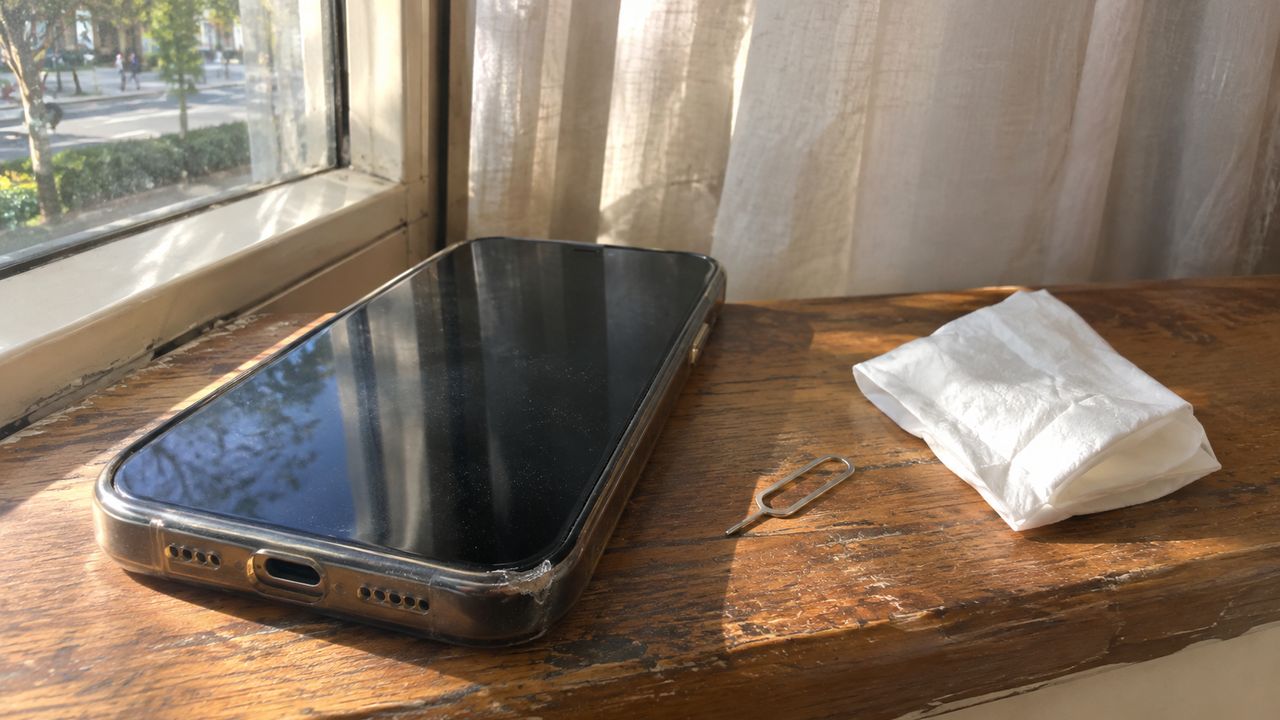
For a USIM: - [ ] Bring your passport. Confirm with the provider whether other ID is needed. - [ ] Check counter location and opening hours for your terminal at Incheon on the airport or carrier page. Late-night arrivals may find some counters closed, and queues can be long at peak arrival times. - [ ] Pack a SIM ejector tool and a small case for your home SIM.
For pocket wifi: - [ ] On pickup, check the battery level, charging cable and any case or power bank listed in the rental. - [ ] Note the deposit, the return method and the return deadline.
For everyone: - [ ] Download offline maps for your area. Google Maps navigation is limited in Korea, so also install Naver Map or KakaoMap. - [ ] Save your hotel address in both Korean and English. - [ ] Check entry rules for your passport, including visa-free status, any K-ETA requirement and arrival-card rules, on the official K-ETA site (https://www.k-eta.go.kr) before you fly. Our guide Do You Need a K-ETA for Korea in 2027? Rules by Passport covers this in more detail.
Common mistakes and what to do instead
| Mistake | What to do instead |
|---|---|
| Buying an eSIM for a carrier-locked phone | Check unlock status in your phone settings or with your carrier before paying. eSIM purchases are often non-refundable once the QR code is issued, so read the seller's refund policy |
| Assuming the 7-day clock starts on arrival | Read the activation rule. If the plan starts at installation, install it shortly before you fly, not a week early |
| Assuming "unlimited" includes laptop hotspot | Confirm tethering rules in writing, or rent pocket wifi for work trips |
| Forgetting pocket wifi must go back | Plan the return before you leave the airport. On departure day, allow time to find the counter or drop box. Late returns may cost extra, so check the provider's policy |
| Removing your home SIM and missing bank codes | Use an eSIM so your home line stays active, or store your SIM safely and re-insert it when you need codes |
| Relying only on Google Maps | Install Naver Map or KakaoMap for walking and transit directions |
Bottom line: Start with your phone. If it's eSIM-compatible and unlocked, a 7-day Korea eSIM bought before departure is the simplest option for most solo travelers and couples. Get a USIM when you need a Korean number. Rent pocket wifi when a group is sharing data. Whichever you choose, check the price, activation rule and hotspot terms on the day you buy, because they change often.
FAQ
Can I use a Korea eSIM if my phone is locked to my home carrier?
Not reliably. A phone locked to your home carrier may reject a foreign eSIM or SIM. Check your unlock status in phone settings or with your carrier before you buy, and ask for an unlock well before departure if needed. If it stays locked, pocket wifi is the fallback.
Will I still get SMS and bank codes on my home number with a Korea eSIM?
Usually yes, if your home line stays active on a dual-SIM phone. Keep the home line on and turn data roaming off there so codes arrive while you use the Korean eSIM for data. Incoming calls and SMS on the home line may still cost money depending on your carrier's roaming rules, so check their roaming page.
Do I need a Korean phone number for apps like Kakao T or delivery apps?
Some features may require one, and app requirements can change, so check each app's official help page before you rely on it. Most data-only eSIMs do not include a Korean number. If ride-hailing or food delivery matters to you, consider a USIM or a plan that includes a local number, and confirm on the seller's page whether voice and SMS are included.